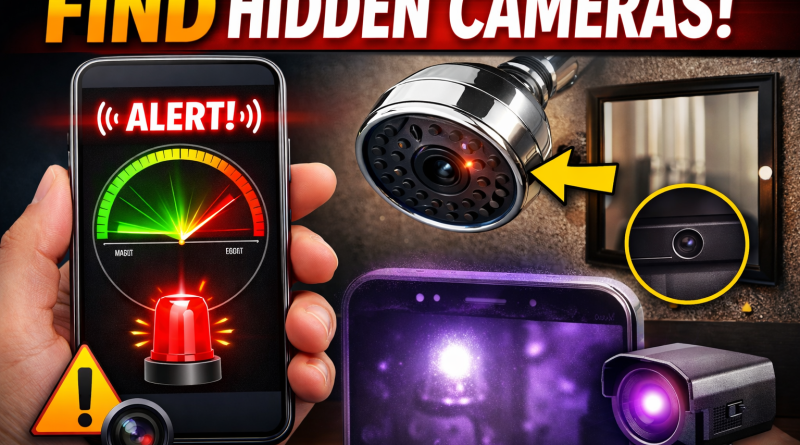
Find Hidden Cameras App
Detect Hidden Spy Cameras Using a Hidden Camera Detector App
Hidden cameras can be placed anywhere—hotel rooms, changing rooms, bathrooms, or even flowerpots. A Hidden Camera Detector App helps you identify suspicious devices using your phone’s built-in sensors.
📡 Magnetometer Detection (Magnetic Sensor Required)
The magnetometer feature works only if your phone has a magnetic sensor. Without this sensor, this feature will not function.
How It Works
The app analyzes magnetic activity around nearby objects.
Hidden cameras contain electronic components that emit magnetic or electromagnetic signals.
If the detected activity matches patterns similar to a camera, the app will beep and trigger an alarm, alerting you to investigate further.
How to Use
Open the app.
Move your phone slowly near suspicious objects such as:
Shower heads
Flowerpots
Mirrors in changing rooms
Any object with a lens-like appearance
Keep the sensor side of your phone facing the object.
Finding the Sensor Position on Your Phone
Use any camera device and move it near the top and bottom of your phone.
When the app beeps, you’ve located the magnetic sensor position.
Use that side of the phone while scanning objects.
🌙 Infrared Camera Detector
The app also includes an Infrared (IR) Detection Tool.
How It Works
Open the infrared detector and scan the area.
Look for white glowing spots on the screen that are not visible to the naked eye.
These glowing spots may indicate infrared light, commonly used by hidden cameras.
💡 While a normal phone camera can detect infrared light, this app enhances detection with a luminescence effect, making IR sources easier to spot.
🛡️ Extra Safety Features
Learn simple techniques to protect yourself from hidden camera exposure.
If you find a suspicious device, you can share the location with friends so they can take precautions before visiting the place.
⚠️ Troubleshooting
If the app crashes during infrared detection:
Close all other camera apps running in the background.
Restart the app and try again.
❓ Frequently Asked Questions (FAQ)
My phone does not have a magnetic sensor
This app relies on your Android device’s magnetic sensor to analyze magnetic activity.
If your phone doesn’t have this sensor, you can still use the infrared detector.
Alternatively, try the app on another device that has a magnetic sensor.
The app beeps near metal or electronics
The app is not designed to detect metal.
Some metals may occasionally emit weak magnetic activity similar to electronic devices.
If the app beeps, always check for a lens on the object.
What should I do if it beeps near metal?
Inspect the object carefully.
If you see no lens, you are likely safe.
If a lens-like object is present, it may indicate a hidden camera.
What is the use of this app if I still have to check manually?
The app detects magnetic or electromagnetic activity, which your eyes cannot see.
Your eyes detect lenses, which the app cannot.
The app and human inspection work together for better accuracy.
While the app is helpful in many cases, manual verification is sometimes necessary.
Infrared detector is just a normal camera tool
You are partially correct.
A normal camera can detect infrared light.
However, this app adds a luminescence glow effect for faster and easier scanning.
If you prefer using your normal camera, that’s fine—but this app provides a quick, integrated solution.
Infrared detector does not open and shows “Not Responding”
Close all camera apps running in the background.
Reopen the infrared detector feature.